
Print Success Is A Click Away
How Can Tradeprint Help Me Print Successfully?
Preparing artwork for print can sometimes feel like navigating a maze of bleed, colour modes and file formats. Whether you’re a professional designer or someone creating artwork for the first time, having the right level of support can make all the difference.
That’s why we offer five different services, designed to suit every experience level and project complexity. From quick, automated printing to full professional design support, you can choose the option that works best for you.
You can choose to upload without support or gain various levels of support along the way.
Let’s explore what each service offers and when you might want to use it.
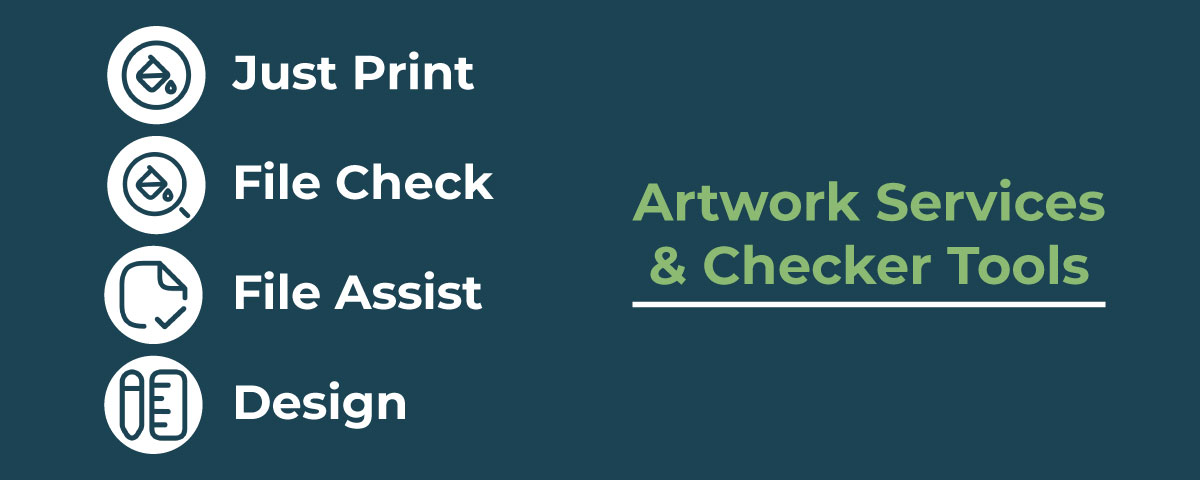
1. Just Print – For Print-Ready Artwork
If your artwork is already set up perfectly and ready to go, Just Print is the fastest option.
This service is designed for print professionals who understand print specifications and have prepared their file correctly. You simply upload your print-ready PDF and the system processes it automatically.
Best for
- Professional designers
- Print resellers
- Customers who regularly prepare print-ready artwork
- Free to use
- Upload a print-ready PDF file
- Automated checks during upload
- Your file goes straight to print once approved
Key features
Because this service is fully automated, it’s important that your artwork already meets the correct print specifications.
2. File Check – Free Automated Artwork Checks
Even experienced designers appreciate a second pair of eyes. That’s where File Check comes in.
This service runs your file through 60 automated checks to identify common issues such as colour mode errors, missing bleed or low-resolution images. It then provides an instant proof so you can review everything before printing.
Best for
- Designers who want peace of mind
- Marketers or businesses uploading their own artwork
- Complex jobs like booklets or folded leaflets
- Converting RGB colours to CMYK
- Converting image files into print-ready PDF format
- Adjusting ink coverage if it’s too high
- Fixing overprints set on colours other than black
What the system checks
Examples of automatic fixes include:
You’ll also be warned about potential problems like low-resolution images or objects placed too close to the edge of the page.
Best of all, File Check is completely free, making it a great safety net before your job goes to print.
Full breakdown of what checks are covered
3. File Assist – Expert Help Preparing Your Artwork
Sometimes you have the design ready, but the file just isn’t quite set up correctly for print.
File Assist bridges the gap between automated checks and full design support. With this service, our Prepress team personally prepares your artwork and converts it into a print-ready PDF.
Best for
- Artwork created in Word, PowerPoint or Canva
- Files that need technical adjustments
- Customers unfamiliar with print specifications
- Converting RGB to CMYK
- Scaling artwork proportionally
- Fixing bleed issues
- Adjusting ink coverage
- Adding finishing guides or special layers for certain products
What the team can help with
Examples include:
Once the file is prepared, you’ll receive a digital proof to approve before printing, with up to three revisions included.
Think of File Assist as the “technical support” option for artwork that’s mostly ready but needs professional preparation.
4. Design – Professional Artwork Created for You
If you don’t have artwork yet, our Design service is the best option.
Instead of uploading a file, you’ll work with our design team to create artwork from scratch, tailored to your product and brand.
Best for:
- Businesses without design software
- Customers starting with only an idea
- Projects that require professional design expertise
The team will create your artwork, share proofs for approval and ensure the final design is completely print-ready. Read more about our Design Service.
Additional Proprietary Artwork Tools
File Pre-Check – Guided Artwork Setup
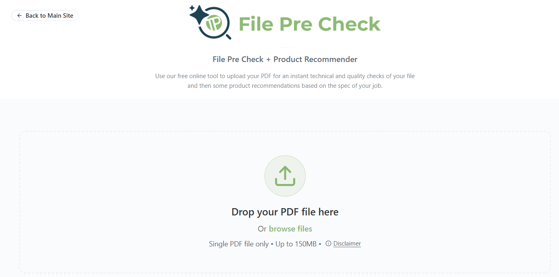
If you’re new to preparing artwork for print, our File Pre Check offers a simple, guided way to get started. Instead of worrying about technical details like bleed, colour modes or file formats, the platform walks you through the process step-by-step, helping you prepare your design correctly before uploading it for print. It’s designed to make print setup faster and more accessible, particularly for customers who may not use professional design software or who want extra reassurance that their artwork is prepared properly before placing an order.
Upload your artwork and allow our AI Prepress agent to run technical checks and provide design advice.
It’s free, runs 24/7 and will provide information on potential errors and then suggest a product that would suit your design.
Here are the technical checks carried out on the File Pre Check
Technical information about the file
-
Dimensions
-
Number of pages
-
File size
-
Fonts included and warning if unembedded.
-
Colour spaces – RGB, spot, CMYK
-
Transparencies
-
Password-protected file
-
File corruption
Design advice about:
-
Low-resolution images and images over 450dpi
-
Missing bleed
-
Objects too close to the edge
-
Potential spelling errors
-
Advice such as checking your phone number and address is correct
Flag any placeholder text
-
Advise if anything is being cut off
-
Event/expiry date checking – advise if they need to order soon
-
Checking the QR code
-
Identifying any placeholder text.
-
Broken text (from font issues)
-
Potential copyright issues – ensure you have written permission
-
Inappropriate images/content warning – may refuse to print
Product recommendation based on the artwork
This cross-references our product catalogue and makes suggestions for products based on your artwork.
Booklet Recommender
If you are in the midst of creating a booklet or brochure-style print job, our Booklet Recommender might be a very handy tool for you.
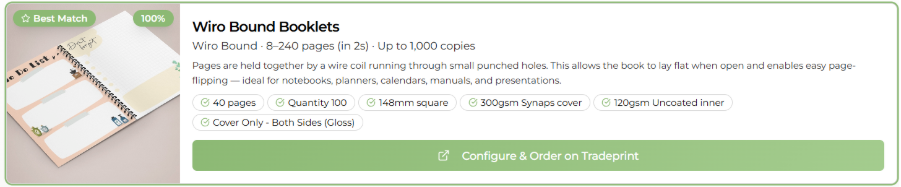
All you need to do is make some choices regarding the style of book, pick your budget, quality, size, quantity and page count, as well as any special features you may need, and our recommender will help you to choose the right booklet approach.
For example, I would like a square, lay-flat waterproof book for a recipe book. The booklet recommender suggests a wirobound offering with a 300gsm Synaps water-resistant, wipeable cover.
Which Artwork Service Should You Choose?
The right option depends on how confident you are with print file preparation.
|
Service |
Best For |
Cost |
|
Just Print |
Print professionals with ready-to-print PDFs |
Free |
|
File Check |
Automated quality checks and instant proof |
Free |
|
File Assist |
Artwork that needs technical preparation |
Paid |
|
Design |
Creating artwork from scratch |
Paid |
|
File Pre Check |
An AI prepress agent that runs checks and makes product suggestions – best used before selecting “Just Print” |
Free |
With this flexible approach, you can choose exactly the level of support you need, whether that’s quick automation or hands-on design help.